

No. GTA 6 has no setting to turn off the vignette, the dark band along the top and edges of the screen, on PS5 or Xbox. Rockstar calls it an artistic choice and has already fixed a bug that made it stronger than intended, so keep the game updated. To make it less noticeable, lower Player Status, Hit and Awareness Effects Intensity under Display > Visual Effects, keep Brightness Reduction off and calibrate HDR.
Step by step
- Install the latest GTA 6 update, which carries Rockstar's fix for the vignette getting too strong.
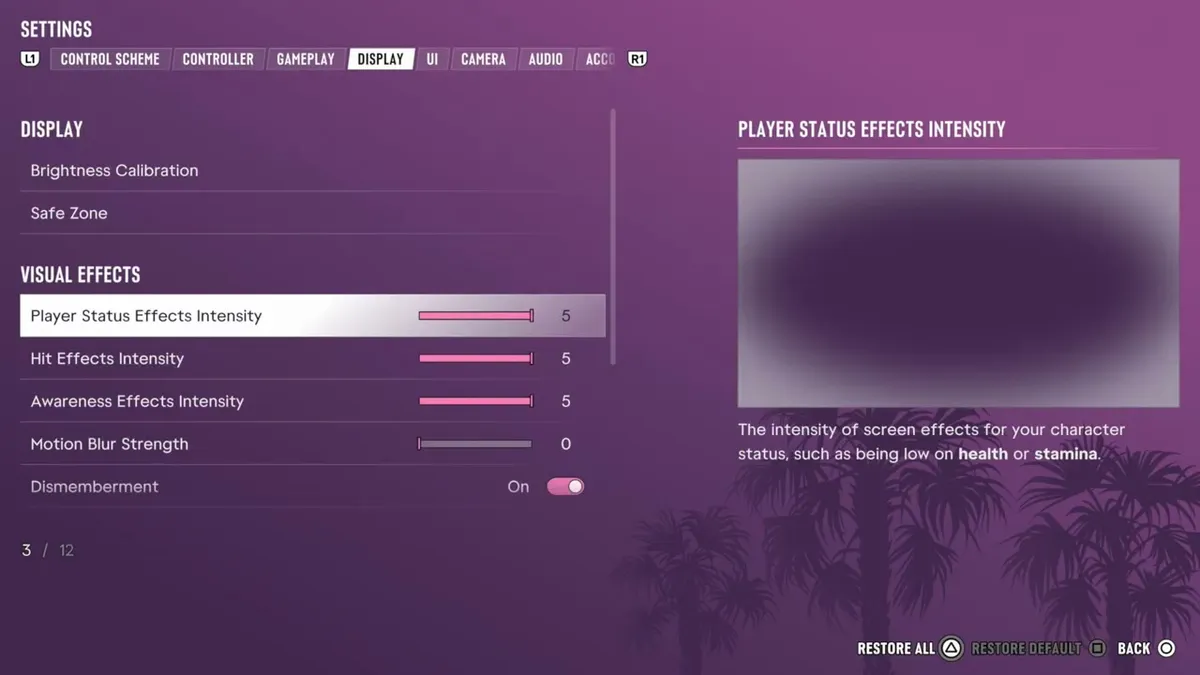
- Pause, open Settings > Display > Visual Effects.
- Lower Player Status Effects Intensity and Hit Effects Intensity from 5 to 1 or 2.
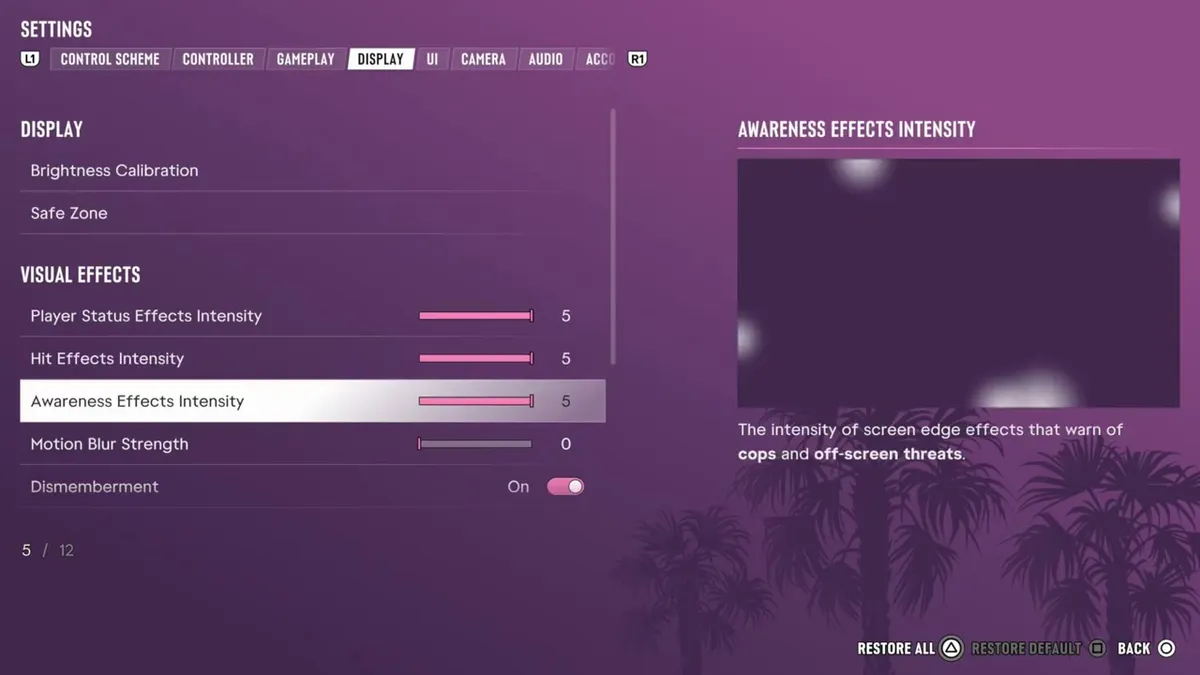
- Lower Awareness Effects Intensity a step or two if you don't need every threat alert.
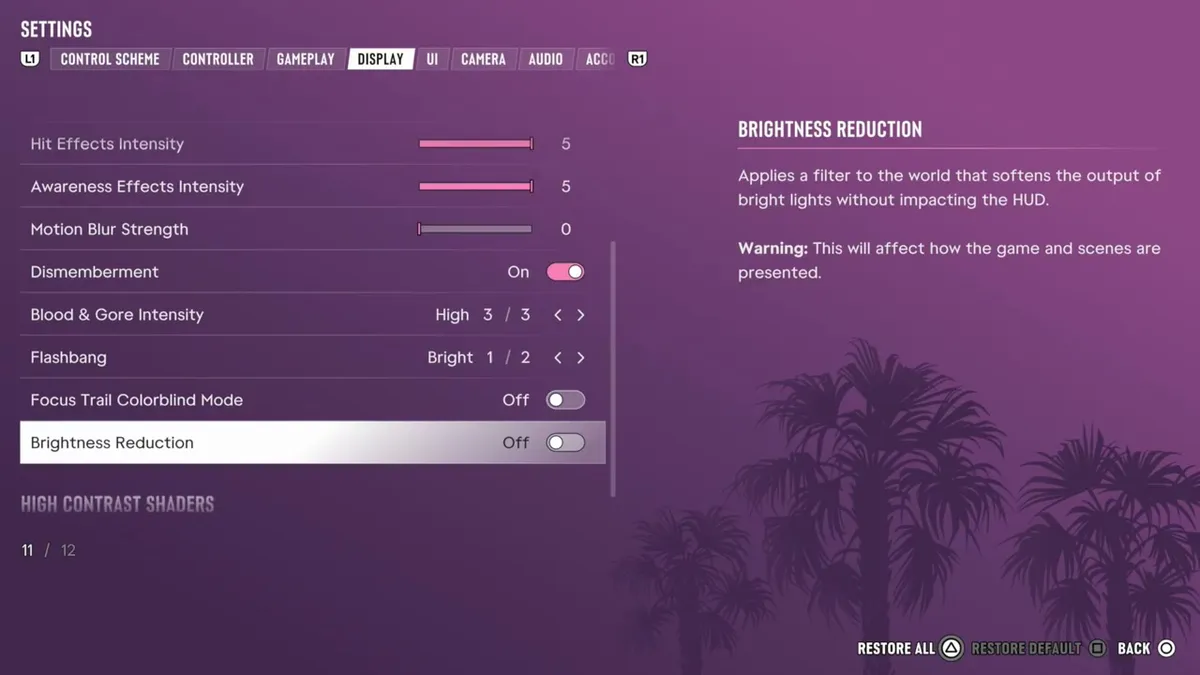
- Check that Brightness Reduction in the same menu is Off.
- Run your console's HDR calibration, then Display > HDR Calibration in the game.
- On the TV, use Game mode and switch off dynamic contrast, energy saving and automatic brightness.
Is there a vignette setting in GTA 6?
No. The Display, Visual Effects and Camera menus have no vignette, post-processing or film effect option on any console. Rockstar has said the vignette is an artistic choice and that there is no toggle for now.
What Rockstar did change is a bug: in some situations the darkening was getting stronger than intended, and that’s been fixed. So step one is simply making sure GTA 6 is fully updated. Patch notes land on the day one patch page.
Where and when is it worst?
| What you notice | What’s going on |
|---|---|
| Dim band along the top of the screen | The built-in vignette. It’s strongest at the top edge, so bright skies look darker |
| Screen gets darker and busier in fights or when you’re hurt | Hit and Player Status effects on top of the vignette |
| Extra warnings when cops or attackers are near | Awareness effects, the on-screen alerts for threats you can’t see |
| Whole picture too dark, not just the edges | HDR or TV settings, not the vignette |
Most players notice it at speed in a car and against a bright sky. It’s there on foot too, and taking off sunglasses or a hat doesn’t remove it.
How do you make the vignette less noticeable?
These sliders run from 1 to 5 and all start at 5. They won’t remove the vignette itself, but they clear the extra screen effects that pile on in fights and when you’re hurt, which is when the picture feels most closed in. More comfort options are in the motion sickness settings.
Keep some Awareness. Those alerts warn you about cops and attackers off screen. If you lower it, drop it a step or two rather than all the way to 1.
Does HDR or the TV make it worse?
It can. A badly set HDR picture crushes the shadows, and the darkened edges then sink into black. Calibrate in this order:
| Step | PS5 and PS5 Pro | Xbox Series X and S |
|---|---|---|
| 1. Console HDR | Settings > Screen and Video > Video Output > HDR: On When Supported, then Adjust HDR | Profile & system > Settings > General > TV & display options > Calibrate HDR for games |
| 2. In the game | Settings > Display > HDR Calibration: Max Brightness, Black Levels, Paper White | Same menu |
| 3. On the TV | Game mode, dynamic contrast off, energy saving and auto brightness off | Same |
If the edges still look like black bars at night, raise Black Levels a little in HDR Calibration rather than turning up the whole picture. More picture tips are in the best graphics settings for GTA 6.
What can’t you fix?
The band at the top stays, whatever you change, until Rockstar adds an option. The same goes for every console: PS5 Pro and Series X get no extra control over it. If you take photos, Photo Mode has its own vignette overlay, but that only shapes your shots.
FAQ
Is the GTA 6 vignette caused by sunglasses?
No. The dark edges stay when Jason or Lucia take off sunglasses or hats, on foot and in cars. Eyewear isn't the cause.
Is the vignette different on PS5 and Xbox?
No. It's the same on PS5, PS5 Pro, Xbox Series X and Series S, and none of them has a toggle. Only the console HDR menus differ.
Will Rockstar add a vignette option?
Nothing is announced. Rockstar says there's no toggle for now and has only fixed the cases where the effect got stronger than intended.
Can you remove the vignette in Photo Mode?
Photo Mode has its own vignette overlay that you set per shot. It only affects your photos, not the gameplay view.