


Usually because the autosave didn't cover your last stretch. GTA 6 keeps one autosave slot, written after missions and some open-world events, so a crash, power cut or quit before the next one loses everything since. Loading an older manual save also overwrites the autosave, and a cheat switches saving off until you restart. Check Game > Load Game for the autosave first, then your PS Plus or Xbox cloud copy, and save manually about every 30 minutes.
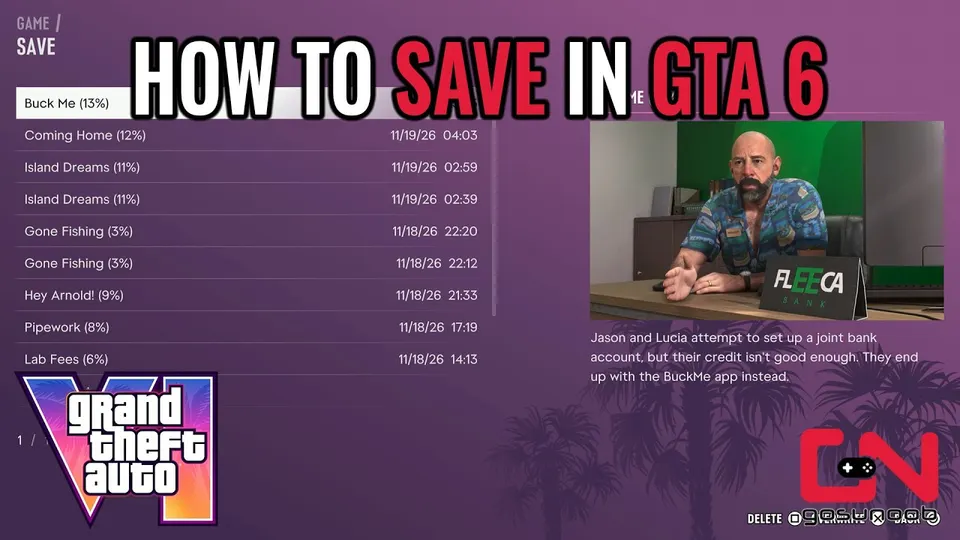
Step by step
- Don't start a new game or save over anything yet.
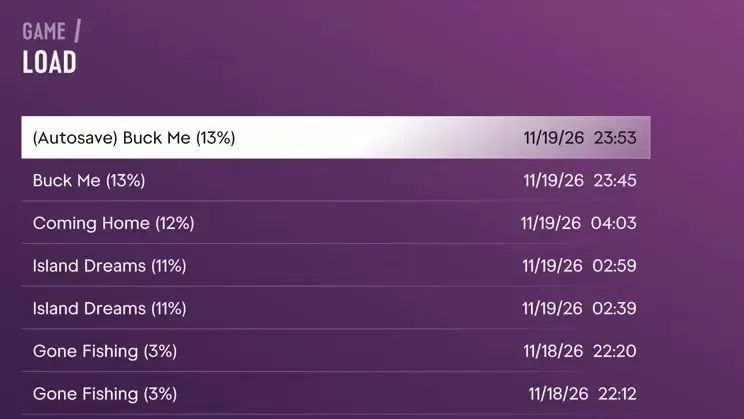
- Open the pause menu, go to Game > Load Game and look for the entry marked (Autosave); it isn't listed under Save Game.
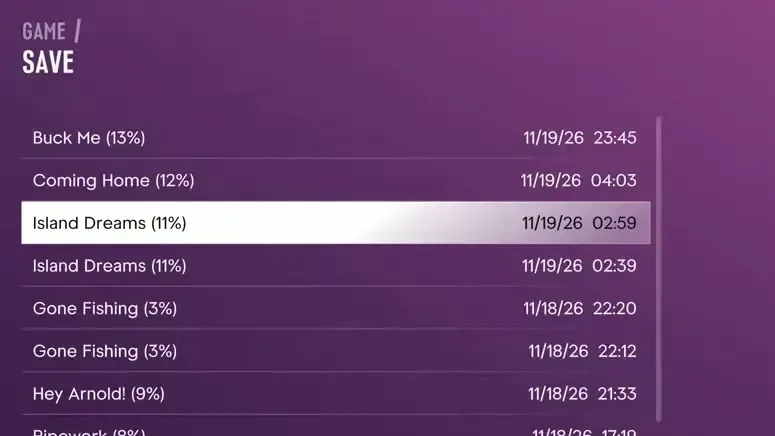
- Compare the dates and percentages on your manual slots and load the newest one.
- PS5 with PS Plus: check Settings > Saved Data and Game/App Settings > Saved Data (PS5) > Download or Delete from Cloud Storage for a newer copy.
- Xbox: stay online and relaunch the game so the cloud save syncs; if the local save is broken, delete local saved data and let the cloud copy come back.
- From now on, make a manual save every 30 minutes and before every story mission, using more than one slot.
How does the GTA 6 autosave work?
GTA 6 has one autosave slot next to 15 manual slots. The autosave writes itself after missions and some open-world events, including death and arrest, and each new one replaces the last. Rockstar hasn’t said exactly how often it fires, and it doesn’t run at every mission checkpoint.
That’s the whole catch: anything you did after the last autosave lives only in memory until the next one. The basics of saving are in how to save in GTA 6.
Patch 01.002.002 (shown as 1.0.2.2 on some platforms) came out on 23 November for PS5 and Xbox Series X|S. It’s the first major patch. It fixes a bug that stopped the game from autosaving properly and also fixes several crashes. It reaches players in waves, so until it shows up on your console, keep making manual saves.
What went wrong?
Find your case:
| What happened | Why you lost progress | Avoid it |
|---|---|---|
| The game crashed or froze | Everything since the last autosave is gone. A crash mid-save can also leave the file unreadable | Manual saves every 30 minutes |
| The console lost power or was switched off at the wall | Same as a crash, plus the save may not have reached the cloud | Shut down from the power menu or Rest Mode |
| You crashed in the prologue | You can’t save by hand until Jason’s house, so you depend on the autosave alone. Players have been sent back to the start this way | Save the moment manual saving opens |
| You quit during a mission | Checkpoints are for retries, not saves. You load at the last autosave, before the mission | Finish the mission, then save |
| You loaded an older manual save | Loading any older save overwrites the autosave too | Back up your current game to a new slot before loading |
| You used a cheat | Saving switches off until you quit and restart, so nothing after the cheat was kept | Save before entering a cheat |
Save Game greyed out? You're in a mission or the prologue. That's normal, not a bug: manual saving only works in free roam after you reach Jason's house.
How do you get the progress back?
Stop before you save anything, then work down this list.
- Check Load Game, not Save Game. The autosave isn’t listed under Save Game. Open Game > Load Game and look for the entry marked (Autosave).
- Read the slot details. Each save shows its date and time, the mission or chapter name and a percentage, so you can tell which one is newest. What that number means is in the save screen percentage.
- PS5 with PS Plus: go to Settings > Saved Data and Game/App Settings > Saved Data (PS5) > Download or Delete from Cloud Storage and use the Download to Console Storage tab if the cloud copy is newer. It replaces the save on the console, so only do it when the cloud is ahead.
- Xbox: saves upload to the cloud while you’re online. If the local file is broken, delete the game’s local saved data under My games & apps > Manage game and add-ons > Saved data while connected, restart, and the cloud copy syncs back.
If none of these has a newer save, the progress is gone. There’s no restore option for story saves, and the autosave fix in patch 01.002.002 only helps from here on. Full crash steps are in how to fix GTA 6 crashes.
How do you stop it happening again?
- Install patch 01.002.002. It fixes the autosave bug and several crashes. Manual saves are still your safety net.
- Keep cloud saves on. On PS5, turn on Auto-Sync Saved Data and Stay Connected to the Internet in Rest Mode, then give the console a moment to upload after you close the game. Xbox syncs on its own while online.
- Don’t pull the plug. Close the game, then use Rest Mode or the power menu.
- Save after long free-roam sessions. Hours of side activities and exploring can pass with no autosave at all.
FAQ
Can you turn off autosave in GTA 6?
No. There's no autosave option in the settings. It always runs in its own slot, which never takes one of your 15 manual slots.
Why is Save Game greyed out?
You're in a mission or still in the prologue. Manual saving only works in free roam, after you reach Jason's house. Finish the objective first.
Can Rockstar restore my lost GTA 6 progress?
There's no restore option for story saves. Patch 01.002.002 fixes an autosave issue from here on, but it doesn't bring back progress you've already lost. Your backups are your own manual slots and the console cloud.
Does dying or getting arrested overwrite my save?
It triggers an autosave, so the autosave slot moves to that moment. Your manual saves stay untouched.